

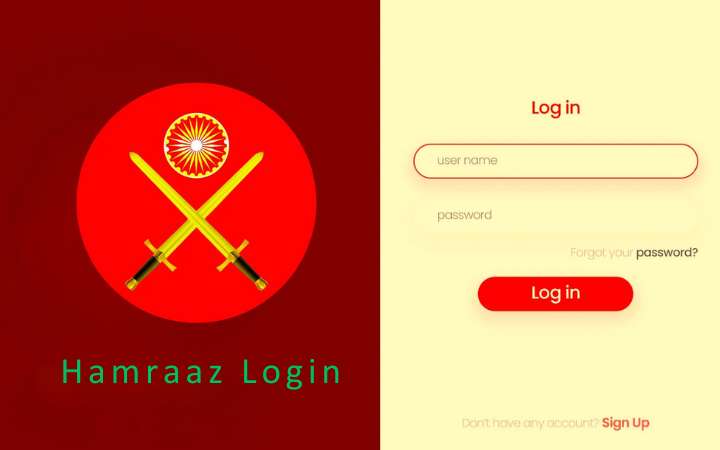
In the era of digital transformation, secure and personalized web portals are essential for managing sensitive data—especially for defense personnel. The Hamraaz Web Personal Login system is an exclusive online portal designed for Indian Army soldiers to access critical personal information with ease and security. This guide will explore everything you need to know about the Hamraaz Web Personal Login, from login procedures and features to troubleshooting and security best practices.
What is Hamraaz Web Personal Login?
The Hamraaz Web Personal Login is a secure authentication gateway offered via the Hamraaz platform, which was developed by the technical team of the Indian Army’s Adjutant General’s Branch. The portal enables soldiers to access personalized services, including salary slips, form 16, service details, and more, all through a digital interface.
This web portal complements the Hamraaz mobile app and allows personnel to access their data securely from any browser on a desktop, tablet, or mobile device. The system is available exclusively to serving Indian Army personnel, ensuring that their data remains protected and confidential.
Key Features of Hamraaz Web Personal Login
Here are some prominent features available through the Hamraaz Web Personal Login:
-
Payslip Access: View and download monthly salary slips and other financial documents.
-
Form 16 Download: Easily download tax-related documents for annual filing.
-
Service Information: View service-related data such as postings, promotions, and leave records.
-
Communication Channel: Receive important updates, announcements, and notifications from the higher command.
-
Grievance Redressal: Submit queries or grievances for swift resolution via the web interface.
How to Access Hamraaz Web Personal Login
Accessing your Hamraaz Web Personal Login is simple, but it requires careful adherence to security protocols. Follow these steps to log in securely:
Step-by-Step Login Instructions
-
Visit the Official Portal
Go to the official Hamraaz portal at https://hamraazmp8.gov.in/ or use the secure web link provided by the Army’s IT cell. -
Navigate to Personal Login
On the homepage, locate and click on the “Personal Login” option to begin the authentication process. -
Enter PAN Number
Input your PAN card number, which serves as the primary login credential for identity verification. -
Generate OTP
After entering the PAN, click on the “Generate OTP” button. An OTP (One-Time Password) will be sent to your registered mobile number. -
OTP Verification
Enter the received OTP into the portal. Ensure the OTP is entered correctly and within the validity period. -
Dashboard Access
Once verified, you will be redirected to your Hamraaz Web Personal Login dashboard where you can access all personal data and services.
Important Note
Only authorized Indian Army personnel with registered PAN and mobile numbers can access this system. Unauthorized access attempts are strictly monitored and penalized.
Security Measures for Safe Login
When using the Hamraaz Web Personal Login, it is vital to follow best practices for data protection and account security. Here are key tips:
-
Never Share OTP: OTPs are confidential. Do not share them with anyone.
-
Log Out After Use: Always log out from the portal after completing your tasks.
-
Use Secure Devices: Access the portal only from trusted devices to avoid security breaches.
-
Regularly Update Mobile Number: Ensure your registered mobile number is up to date to receive OTPs reliably.
-
Avoid Public Wi-Fi: Use private internet connections to reduce the risk of hacking or data theft.
Common Issues and Troubleshooting
Like any digital service, users may encounter occasional problems while accessing their Hamraaz Web Personal Login. Here’s how to troubleshoot common issues:
1. OTP Not Received
-
Check if your mobile number is correctly registered.
-
Wait a few minutes and retry generating the OTP.
-
If still unresolved, contact the system administrator or unit IT officer.
2. Invalid PAN Error
-
Double-check the PAN number entered.
-
Ensure it’s typed in uppercase without any spaces.
3. Login Failure Due to Timeout
-
Sessions may time out due to inactivity. Log in again and complete your task promptly.
4. Browser Compatibility Issues
-
Use updated browsers like Chrome or Firefox. Avoid older versions of Internet Explorer.
Hamraaz App vs Hamraaz Web Personal Login
While both the mobile app and web portal offer access to the same data, there are differences:
| Feature | Hamraaz App | Hamraaz Web Personal Login |
|---|---|---|
| Platform | Mobile (Android only) | Any Browser (Desktop/Mobile) |
| Access | App download required | No download needed |
| Data Sync | Real-time | Real-time |
| Usability | On-the-go | Best for detailed viewing |
The Hamraaz Web Personal Login is especially useful for viewing detailed documents or when access to a mobile device is unavailable.
Advantages of Using Hamraaz Web Personal Login
-
24/7 Accessibility: Access your data anytime, from any location.
-
User-Friendly Interface: Simple and intuitive portal navigation.
-
Paperless Records: Download documents digitally, reducing paper use.
-
Real-time Updates: Get real-time updates on salary, postings, and other critical information.
FAQs about Hamraaz Web Personal Login
Q1: Who can use Hamraaz Web Personal Login?
Only serving Indian Army personnel with valid PAN and registered mobile numbers can use the portal.
Q2: Is the Hamraaz portal available for retired personnel?
No, the Hamraaz Web Personal Login is restricted to active-duty personnel only.
Q3: What to do if I forget my login details?
The portal uses PAN and OTP-based login, so there are no passwords to remember. Just ensure your mobile number is registered correctly.
Q4: Can I use Hamraaz Web Personal Login on a mobile browser?
Yes, the portal is mobile-responsive and can be accessed through any modern browser.
Q5: How secure is my data on the Hamraaz web portal?
The portal uses advanced encryption and secure authentication to ensure data confidentiality and integrity.
Conclusion
The Hamraaz Web Personal Login serves as a critical digital tool for Indian Army personnel, enabling seamless access to sensitive personal and service-related data. Its secure, easy-to-use interface ensures that soldiers can manage their financial and service records without needing to rely on paperwork or visit administrative offices physically.
By following the proper login procedure and adhering to security best practices, users can maximize the benefits of this cutting-edge platform. Whether it’s for downloading payslips or checking service details, the Hamraaz Web Personal Login is a vital resource that exemplifies the Indian Army’s commitment to digital empowerment and operational efficiency.
Always ensure you access the portal responsibly and report any technical issues to the authorized support team to maintain the integrity of your personal data.